You must register to take full advantage of the Support Portal functionality. For example, your email is used to connect your log-in to the tickets you (or your organization) have submitted. Your log-in is also used to provide security access to LLumin proprietary documentation & training material.
Registration Process # 1
This option is used primarily for new customers, or those who have never submitted a support ticket via support@llumin.zendesk.com.
#1 Visit the Support Portal at https://llumin.zendesk.com/
#2 Click the New to LLumin? Sign Up
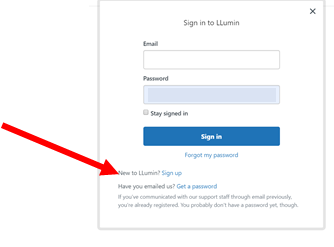
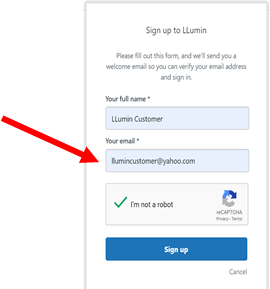
#3 Enter your name & email on the next form
#4 You will receive a welcome email message that prompts you to register
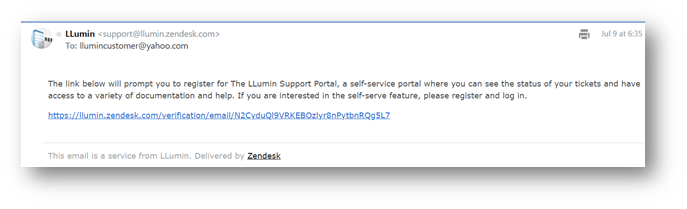
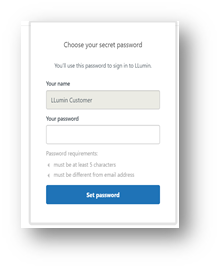
#5 Verify your e-mail address and create a password
Registration Process # 2
Submit a request via email: support@llumin.zendesk.com
You will receive a confirmation email that we’ve received your request, see below.

You will also receive instructions for how to register for the Support Portal, see below. Click the link to set up your log in. 
Once registered, all ticket updates will include a link to the portal (see ticket #). Clicking on the link will bring you to the log-in page. 