Asset and Work Management
Improved Work Order Details screen
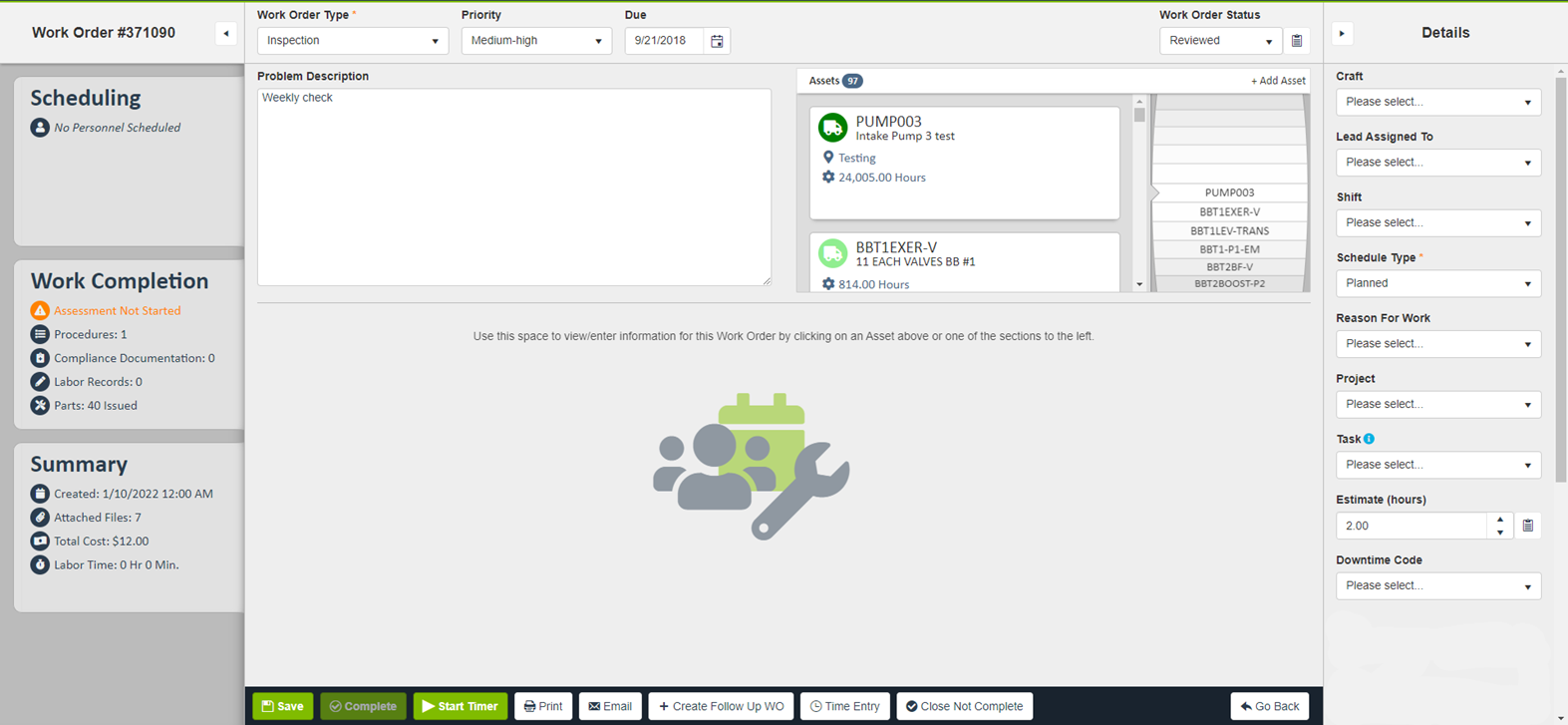
- As outlined in the Version 22.3 Release Notes, we announced an improved Work Order Details screen that is intended to reduce the number of clicks for common actions (i.e. adding labor time, issuing parts, etc.), make the best use of the screen “real estate”, and will ensure the Work Order Details screen is more “mobile device friendly” if the core application is opened on a mobile browser. This improved Work Order Details screen will now be enabled for all customers following two rounds of early adopters.
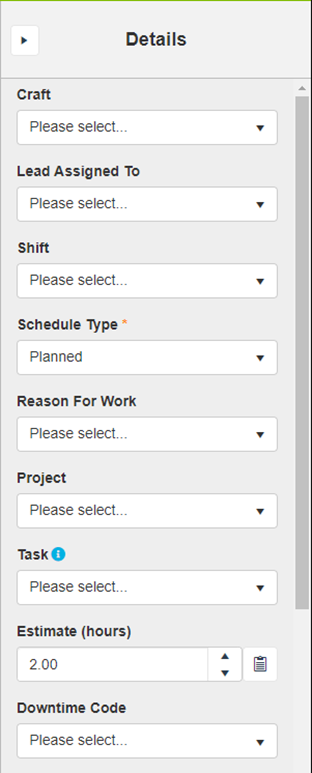
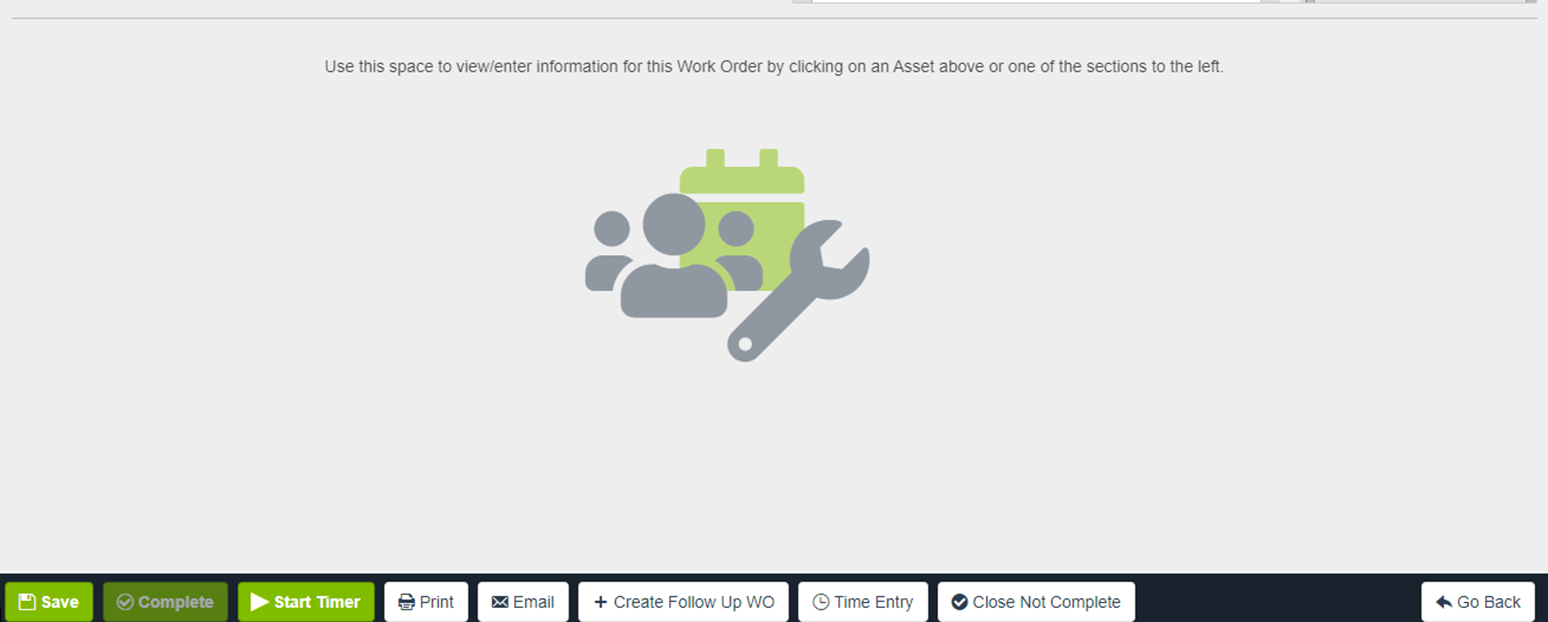
- There are four sections as outlined below, the Header, the Cards, the Workspace, and the Details.
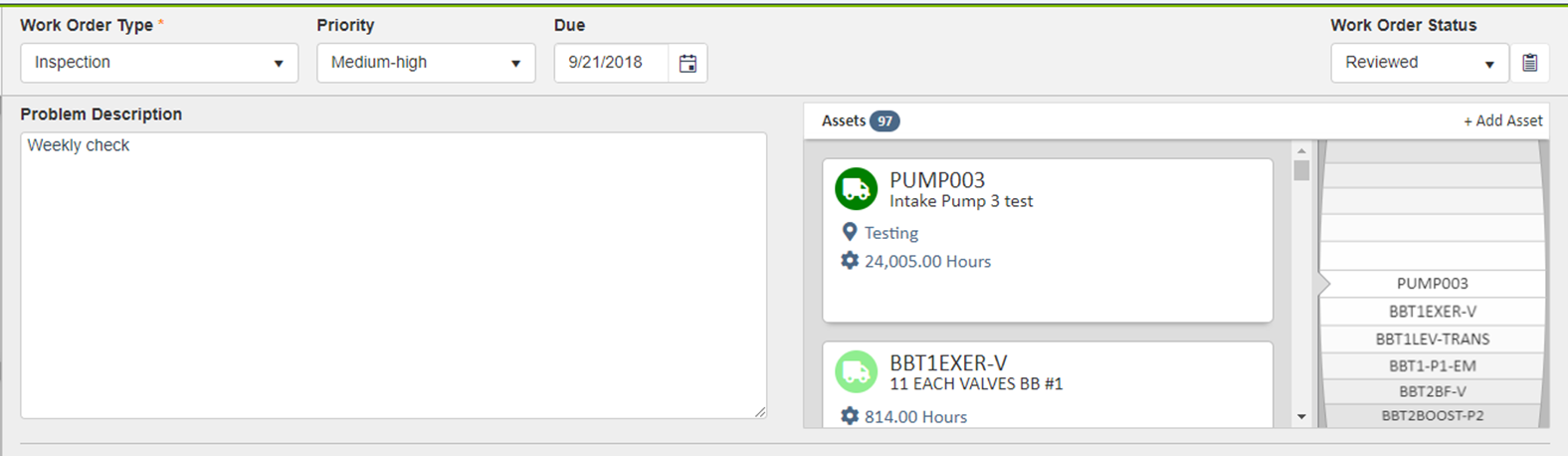
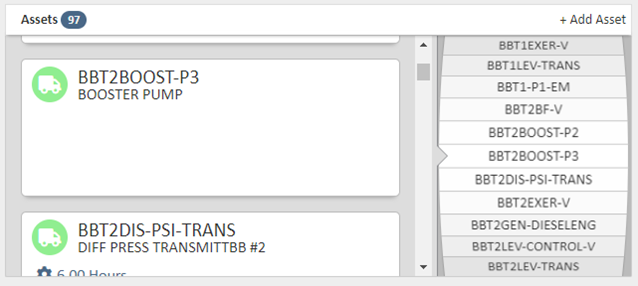
- The Header section includes the WO Type, Priority, Due Date, Status, Problem Description, and Asset listing which includes the new carousel view.
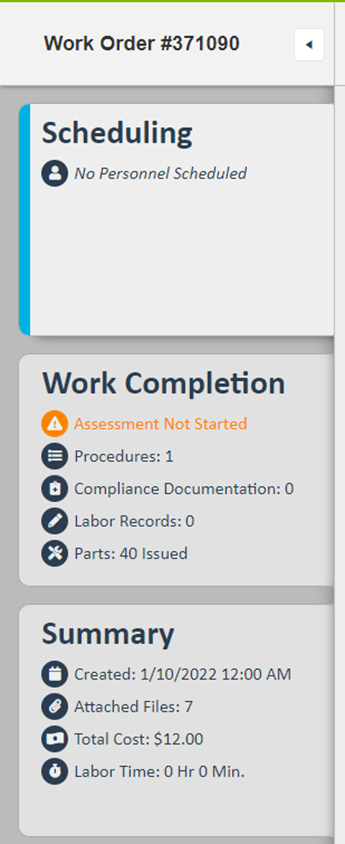
- The Cards section includes a high-level overview of the information found in the cards for Scheduling (i.e. scheduled personnel), Work Completion (i.e. Assessment Completion, Procedures, Compliance, Labor Records, and Parts Issued), and Summary (i.e. Created Date, Attached Files, Total Cost, and Total Labor Time)
- The Workspace section is a space to view the detailed information found within the cards mentioned above. Clicking a card will open it within the workspace and will allow the user to review the details and enter information as needed.
- The Details section will include commonly used fields such as Craft, Lead Assigned To, Shift, Schedule Type, Reason for Work, Project, Estimate, and any captioned User Defined Fields will be found in this section as well.
Examples of the Work Order Details screen
Full view of the new Work Order Details screen:
New Work Order Header section:
Closer look at the new Assets carousel:
New Work Order Cards section open and collapsed:
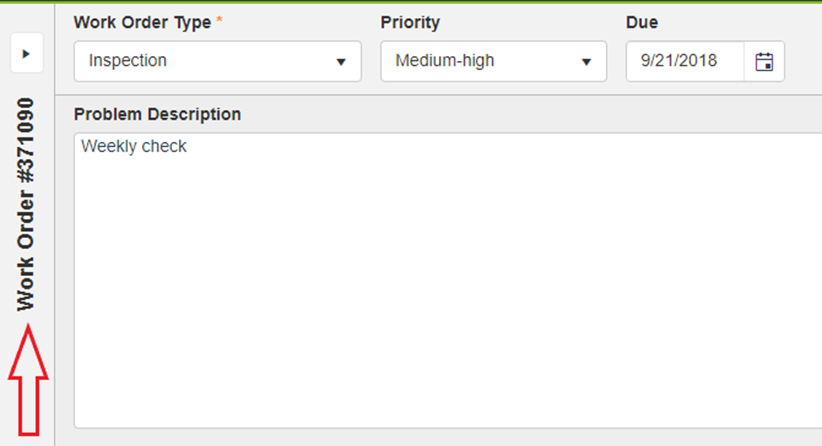
New Work Order Details section open and collapsed:
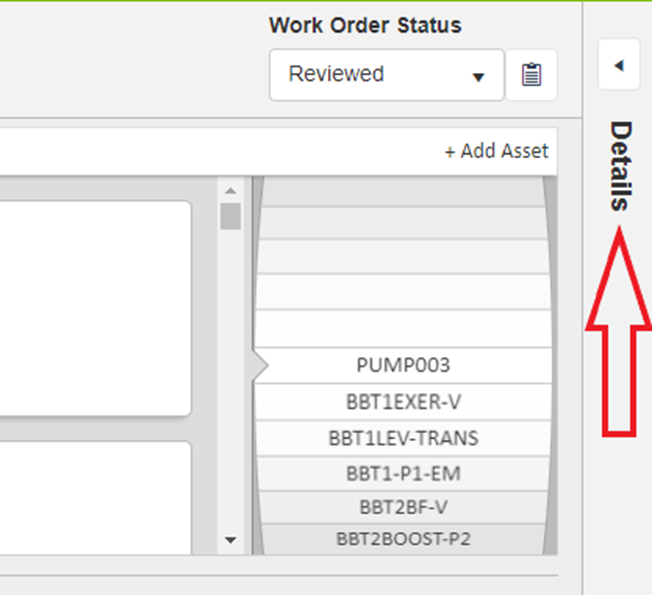
New Work Order Workspace section default view and with Summary card open:
LLumin Mobile
- We have added infrastructure to support the latest version of the LLumin Mobile app which includes the new mobile Issuing functionality.
Minor Improvements
- Added Work Order Number to the subject when emailing Work Orders.
- Addressed an issue wherein Purchase Orders linked to a Work Order were causing double charges; once as a Service cost and once as a Parts cost.
- Various reporting data source field updates and additions.
- Minor performance enhancements.